

In this article
Your customers don't care which channel they use to reach you — they just want an answer. But your support team does care, because managing separate inboxes for WhatsApp, Instagram DMs, website chat, and email is chaotic and context gets lost.
The omnichannel problem
Here's what happens without a unified inbox:
- Customer messages on Instagram: "My order is wrong"
- Agent on Instagram replies: "Sorry to hear that, what's your order number?"
- Customer doesn't see the reply for 6 hours
- Customer messages on WhatsApp: "Still no response about my wrong order"
- Different agent picks it up with no context
- Customer has to explain the whole thing again
This is the worst possible customer experience, and it's entirely avoidable.
What omnichannel actually means
True omnichannel isn't just collecting messages from multiple places. It's:
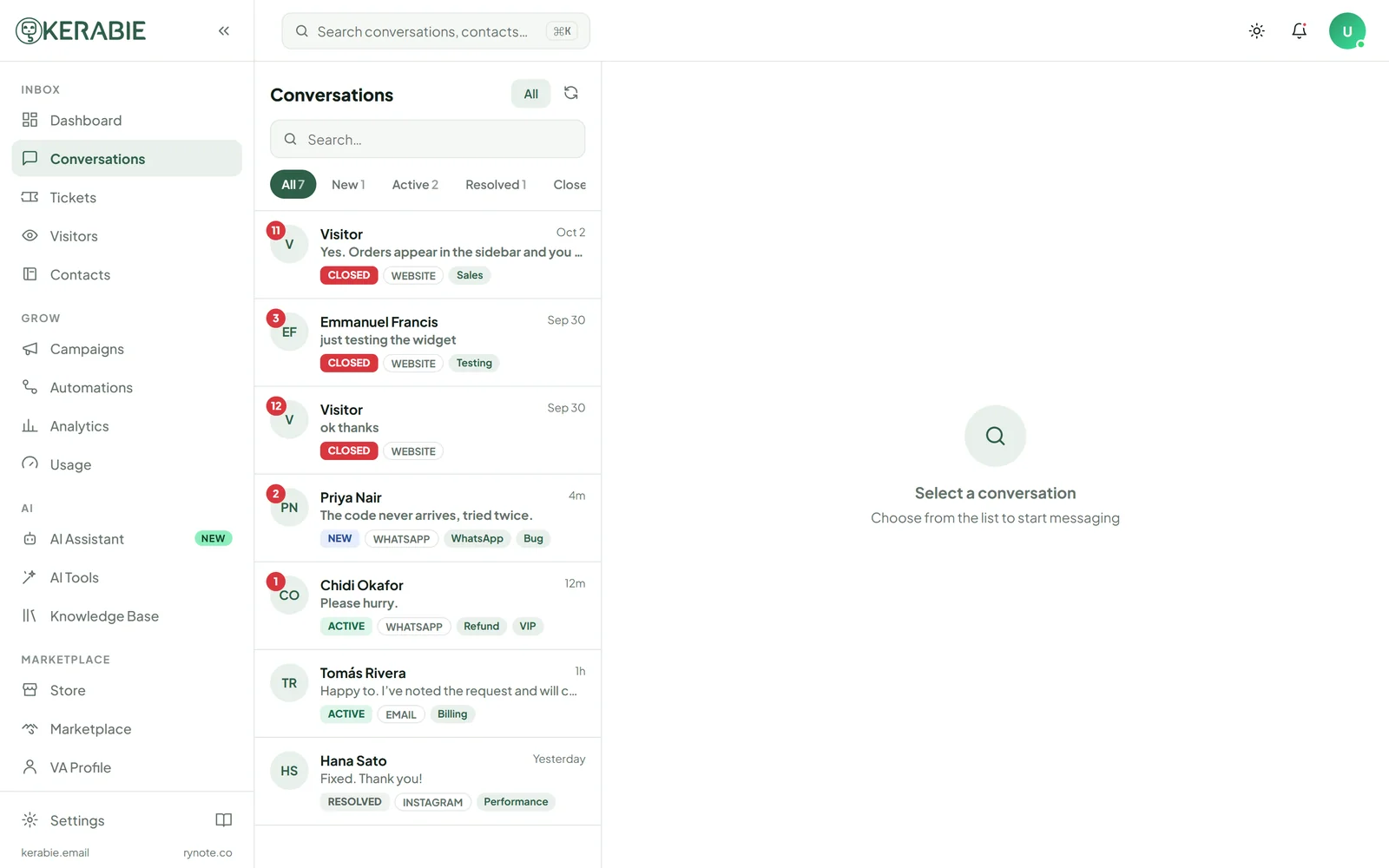
- Single inbox — all messages in one place, regardless of source
- Contact-level context — seeing all conversations from this customer across all channels
- Consistent experience — the customer gets the same quality of service regardless of where they message
- Thread continuity — if a conversation spans channels, context carries over
Setting up omnichannel in Kerabie
Website chat
Your widget is already set up. Every conversation is in your inbox.
- Go to Channels → WhatsApp Business
- Connect your Meta Business account
- Enter your WhatsApp Business phone number
- Messages from WhatsApp now appear in your Kerabie inbox
- Go to Channels → Instagram
- Connect your Facebook Business account
- Authorise Instagram DM access
- Instagram DMs now route to Kerabie
- Go to Channels → Email
- Set up email forwarding from your support address to Kerabie's inbound address
- Replies from Kerabie go back via your domain
Managing a multi-channel inbox
Routing rules — route WhatsApp to the team that knows WhatsApp response patterns; keep web chat on your fastest responders.
Channel tags — automatically tag conversations by source so you can filter and measure per-channel.
Response time targets — WhatsApp users expect faster replies than email. Set different SLA targets per channel.
Unified contact profiles — when a customer messages on multiple channels, Kerabie links them to a single contact profile if they use the same email or phone number.